
Open and view MPP files with Microsoft Project Viewer for Mac

MPP viewer for macOS that provides a single source of truth for the organization.

  • Latest macOS supported
  • 100% data accuracy
  • Fast deployment
  • Mac and Windows teams
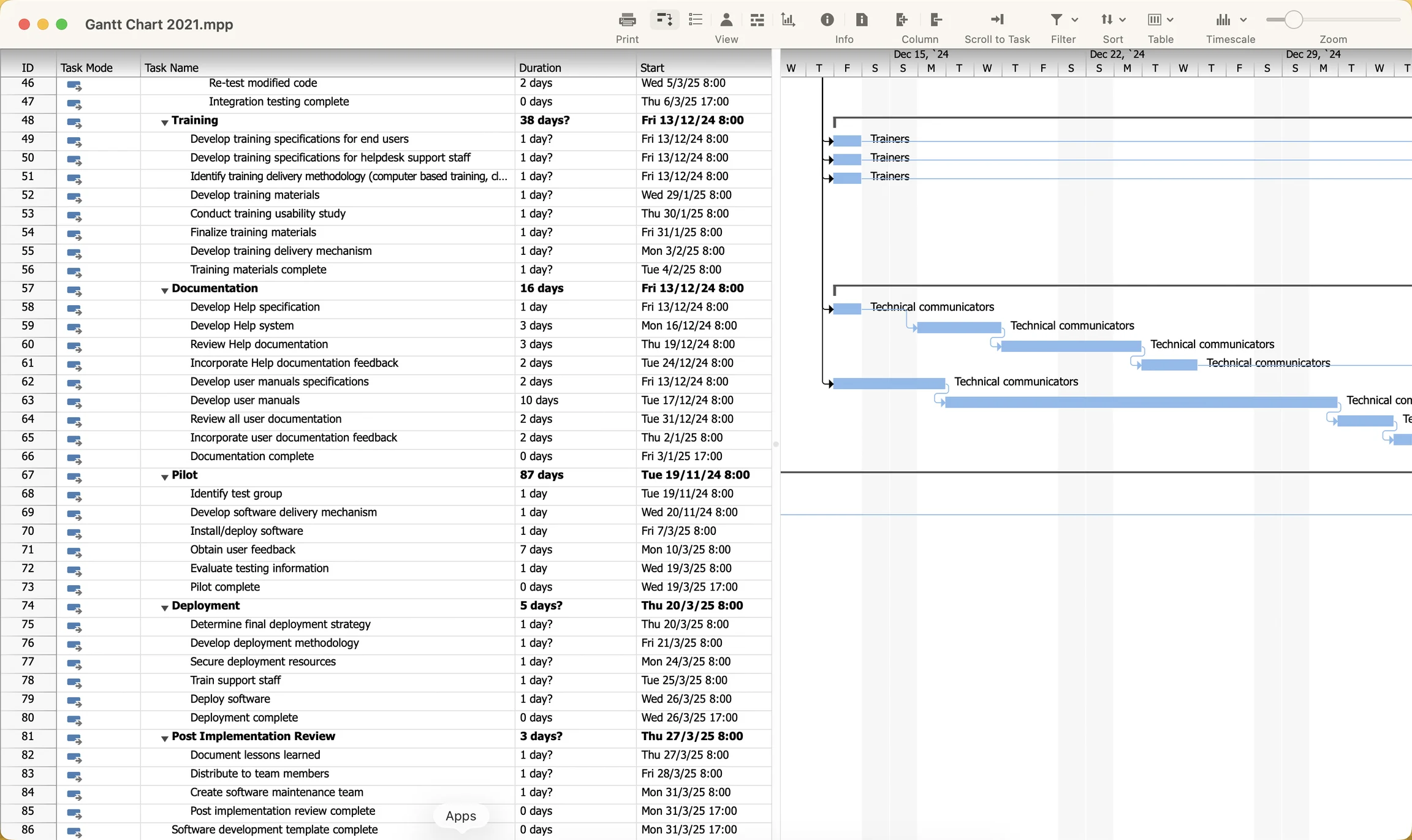
Seavus Project Viewer for Mac showing a Gantt chart of an MPP file
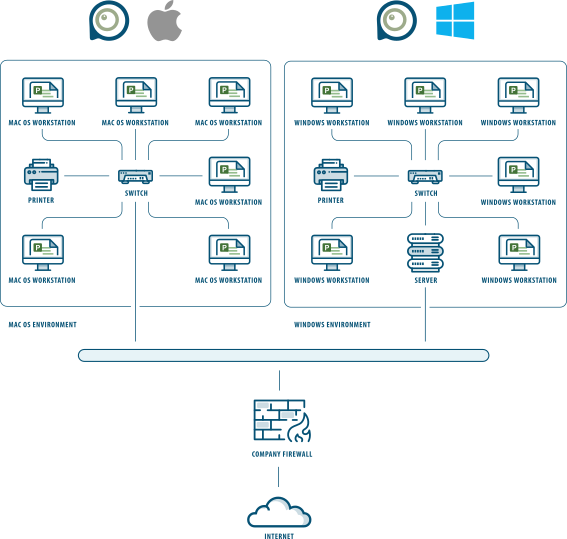
Seavus Project Viewer deployed to both Mac and Windows users, sharing project plans through folders, email and the cloud

Compatible with all modern macOS versions

Seavus Project Viewer for Mac is a flexible solution suitable for companies that solely use macOS operating systems or in a combination with Windows. This way, no matter the device, all project participants can access the project plan and enjoy a consistent in-app experience across all devices.

Seavus Project Viewer is created as a native macOS application, following all the recommendations, frameworks, tools and guidelines used when developing software for this operating system.

The project information from MPP files can be effortlessly distributed to all end users by using various channels of your choice such as email, chat or a shared folder.

The MS Project interface, native on macOS

Navigate through Gantt Chart, Task Sheet and Resource Sheet views to get a quick status on your project’s progress - in a familiar Microsoft Project layout, built as a native macOS application.

  • Latest macOS supported
  • 100% data accuracy
  • Mac and Windows teams
  • Fast deployment
  • On-prem application
  • Trusted by 2/3 of Fortune 500

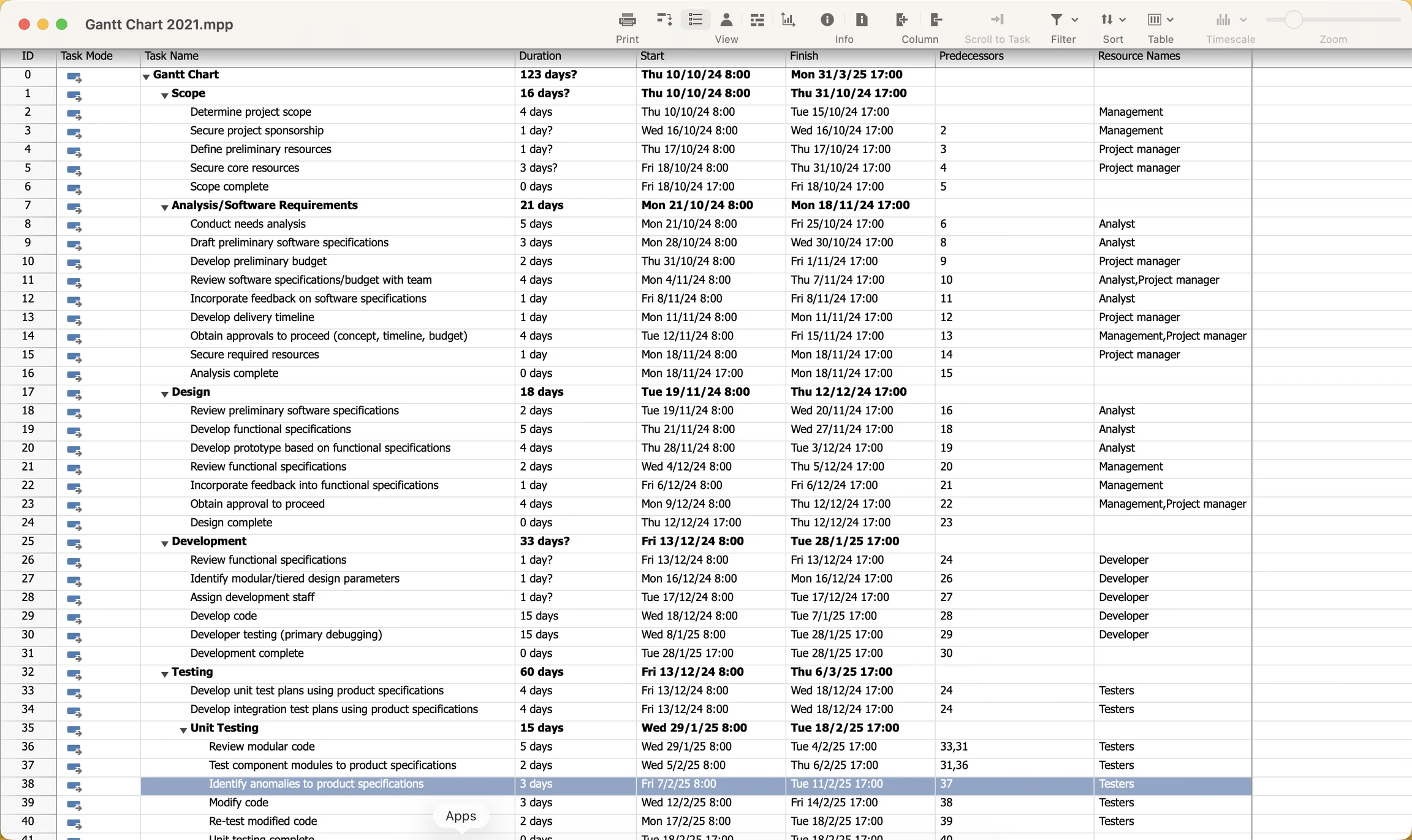
Task Sheet

Tasks, durations, predecessors and resources in one table.

Task Sheet in Seavus Project Viewer

Trusted to view and share .MPP plans across 12+ industries worldwide

Users worldwide
6M+
Of the Fortune 500
2/3
  • Aerospace
  • Automotive
  • Finance
  • Engineering
  • Education
  • Energy
  • Government
  • Healthcare
  • Manufacturing
  • Services
  • Technology
  • Telecom

See customers by industry →

Seamless deployment across macOS workstations

Contact us and we will get back to you with the best solution for your company’s requirements.

More ways to use Microsoft Project Viewer

Reduce Microsoft licensing cost

Obtain the leading viewer for Microsoft Project for Mac for a fraction of the cost of Microsoft Project. The savings go even higher for bigger project teams, with different project viewer licensing options available.

See pricing options →

Analyze project data directly from MPP files

All views, charts, tables, filters and groups appear exactly as in Microsoft Project so your team members will be able to focus on project analysis and work in a familiar environment, without a learning curve.

See the MPP viewer →

Communicate project insights across teams

Manage all your project plans directly from Sharepoint (in-house or online) or save your project plans on Google Drive and OneDrive and allow your team to have access to them directly from the cloud.

Explore Task Update →