
View MPP Files Without Microsoft Project
Seavus Project Viewer opens native .mpp plans on Windows and Mac and shows the same Gantt chart, tables and reports your project manager built. Nothing is converted, and no MS Project license is needed.
Free 15-day trial, no credit card. Every feature included.
Microsoft Project Viewer for Windows and Mac
View your .MPP Files
Seavus Project Viewer is a favorite MS Project viewer of project managers & teams and used by two-thirds of the Fortune 500 companies. It improves project managers’ team performance and decreases finance managers’ budget spending on Microsoft Project licenses.
 Open & view
.MPP files Runs on every
Windows machine The same viewer
on macOS Trusted by Fortune
500 companies
See every plan exactly as it was built
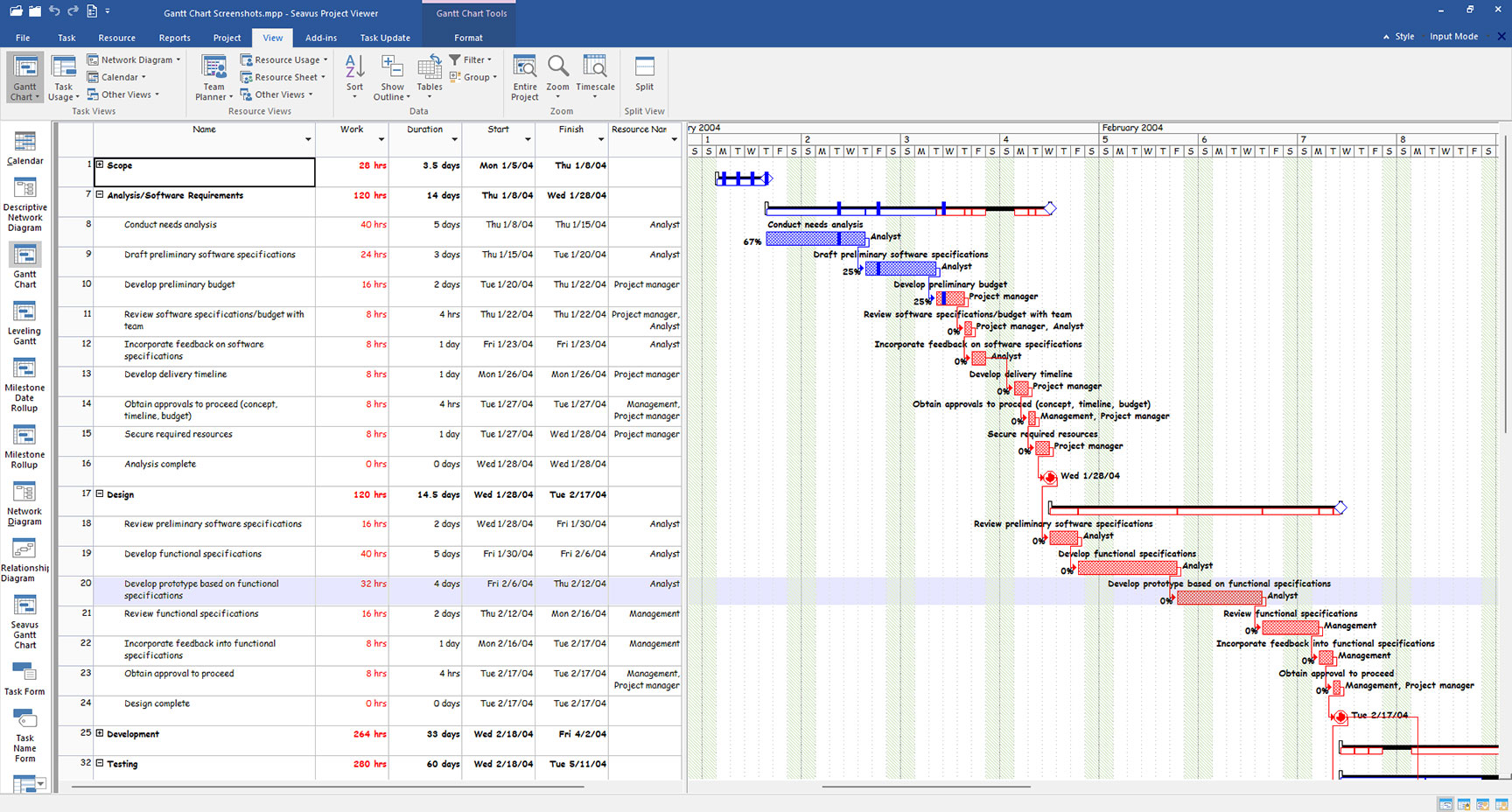
Seavus Project Viewer supports more than 27 views as in Microsoft Project - Gantt charts, tables, filters and groups - plus the user-defined views saved in the .mpp file. Your team reads the plan the way the project manager published it.
- No MS Project needed
- 27+ matching views
- Large plans in under 3 s
- Master project plans
- Password-protected plans
- Support in 1 business day
Gantt Chart
Tasks, durations, dependencies and milestones on one timeline.
Plans Opened At











Two-thirds of the Fortune 500, and 6 million people worldwide, view .mpp files with Seavus Project Viewer.
Watch the video
See the viewer on a real plan
The Microsoft Project views, the graphical reports and the sharing options, in the interface Microsoft Project users already know.

Every MS Project view, without the MS Project license
Open native .mpp plans read-only on Windows and Mac, with the Gantt chart, tables and reports your project manager built. Start with the 15-day free trial, no credit card required.