We are excited to announce the release of Seavus Project Viewer 19.6!
Version 19.6 introduces new features designed to give teams more flexibility when working with (.mpp) project plans, managing licenses, and handling larger project files.
The latest version brings Task Reminders, new Floating License options, Company Subscription Licensing, Revoke License, and a native 64-bit version for Windows. Together, these updates make it easier to stay on top of project work while giving organizations more options for managing Seavus Project Viewer across their teams.
Stay on top of project tasks with Task Reminders
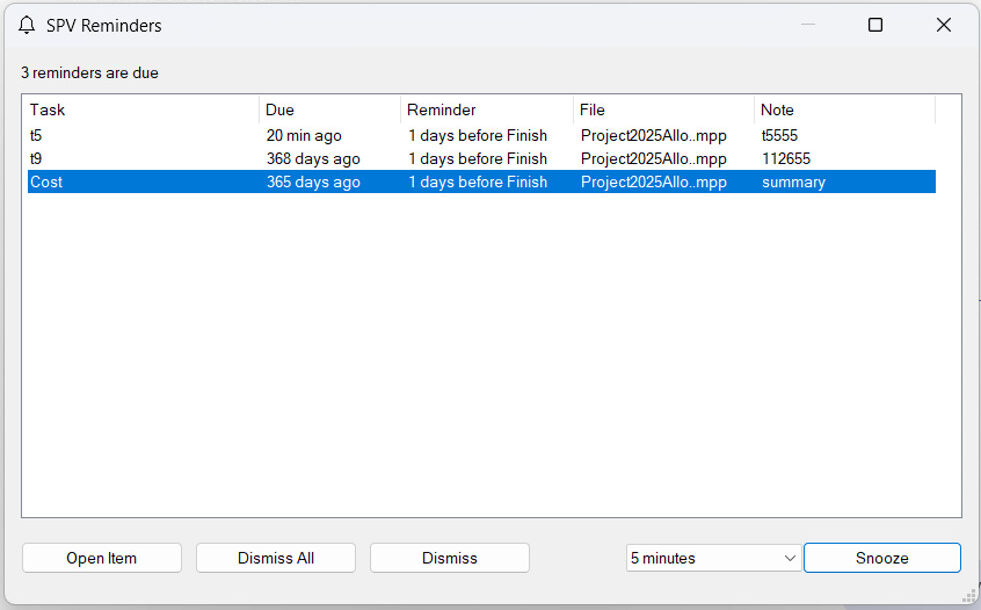
With Task Reminders, users can set a reminder date and time directly on any task in the project plan.
When the reminder is due, Seavus Project Viewer displays a notification for that task. This makes it easier to keep track of upcoming start dates, deadlines, and follow-ups without maintaining a separate reminder system outside the project plan.
More flexibility with Floating Licensing
Seavus Project Viewer 19.6 introduces two Floating License models: Per Instance and Per Machine.
With Per Instance, each running copy of Seavus Project Viewer uses one seat. With Per Machine, one computer uses one seat, regardless of how many copies of Seavus Project Viewer are running on it.
This gives organizations the flexibility to choose a licensing model that matches how their teams use the software, with seats available to those who need them rather than requiring a license for every potential user.
Manage company seats with one subscription
The new Company Subscription License provides a simpler way to manage multiple seats across an organization.
A fixed number of seats can be grouped under one company license key, with one subscription term and one renewal date. This means organizations can manage their seats through one key and one renewal instead of handling separate licenses user by user.
Revoke and move licenses when needed
Version 19.6 also introduces Revoke License, allowing users to return a license activation from one computer to the license repository and activate the same license on another computer.
This provides more control when moving a license to a new or reinstalled computer, without requiring a new key or a support ticket.
Work with larger project plans using the x64 version
Seavus Project Viewer 19.6 is now available as a native 64-bit application for 64-bit Windows.
The x64 version allows users to open and work with larger project plans without running into the memory limitations associated with 32-bit applications.
Get Seavus Project Viewer 19.6
With its latest release, Seavus Project Viewer continues to provide a simple and cost-effective way to maximize productivity when sharing and working with project schedules.
A 15-day free trial of the latest version is available for download: